Locate the activation moment
The same deposit can have different promotional treatment depending on the required activation order. Before funding a Zora account for an offer, determine whether selection happens before payment, during checkout or through a separate claim afterward. Do not reconstruct that order from the position of a promotional button alone.
An offer can have more than one important moment: becoming visible, being selected, meeting the qualifying action and becoming usable. A promotional button may lead only to information. Read the next screen and look for the event that the conditions call acceptance or activation. The distinction matters when comparing offers with different entry routes. You cannot safely replace a missing instruction with the order used by a different campaign simply because the same account and cashier are involved.
Build a sequence from the actual instructions
Draw a small sequence using the selected campaign’s instructions. For example, choose offer, check payment eligibility, submit deposit, confirm credit and inspect reward status are five distinct events. This is a checking framework, not a claim that every Zora promotion uses that exact sequence.
For each step, write down the evidence that would show it happened. Selection may have a confirmation, payment a transaction reference and reward allocation a separate entry. These records can have different times. If the instructions require another action, include it at its stated position rather than appending it after everything else. The sequence is most useful before the deposit because it reveals an unanswered condition while the decision remains reversible. It should describe the named promotion, not a universal casino procedure.
Separate availability, pending status and acceptance
A pending payment should not be treated as a completed qualifying deposit. Likewise, an available offer card is not confirmation that it has been activated. Look for the account’s explicit status or reward entry. If a message names a different package, stop and resolve the mismatch before beginning restricted play.
Consider a payment that appears approved at its provider while the casino still shows processing. The reward may depend on the operator's qualifying record, so a provider screen alone does not settle activation. This is a distinction between statuses, not a promised processing delay. Check the original reference and the offer record before taking another action. If a reward is credited under an unexpected category, the account has produced information that needs clarification; do not reinterpret it as the package you originally intended.
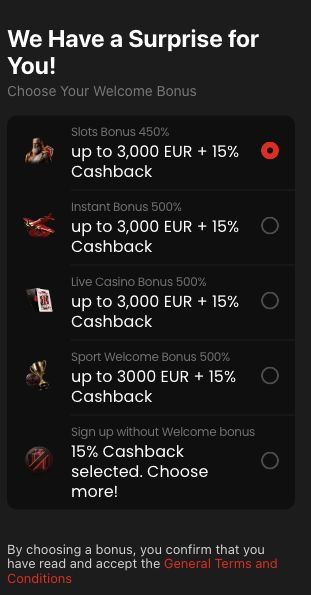
Cancellation is not a reset button
Avoid experimenting by cancelling and reactivating offers without reading the consequences. A cancellation can affect promotional credit or associated winnings under the relevant rules. A second deposit is also a separate financial action rather than an undo button for the first sequence.
An accepted offer can be linked to unused spins, credited funds and winnings already produced. Removing it may change more than the visible card. Before using cancellation, identify the affected components and whether future eligibility changes. There may be no way to recreate the first sequence by repeating the same deposit. Likewise, changing a payment method is a new transaction decision, not an edit to a completed payment. These consequences should be understood from the current offer and account process, not assumed from interface convenience.
Investigate the failed stage, not an imagined outcome
If activation fails, preserve the campaign title, payment reference, times and displayed message. Ask which step failed rather than asking only why the bonus is missing. This separates payment processing from promotional eligibility and gives support a precise case. After clarification, compare the credited amount and deadline with the original terms before proceeding.
Prepare a short timeline beginning with the selected offer, then the qualifying action and the first unexpected message. State which confirmations are available and which are missing. Ask whether the unresolved issue is payment settlement, selection timing, account eligibility or reward release. Keep the answer attached to that sequence. Once resolved, verify both the amount and the use window; a correctly credited reward can still be misunderstood if its expiry or permitted title is read from a different campaign.
What Zora Help says about the sequence
The operator’s “Bonus Activation” Help article, dated 18 August 2026, instructs the user to complete personal account details, open Promo and activate the selected bonus before depositing. It explicitly says that a deposit without manual activation will not automatically credit the offer. This makes the pre-payment confirmation a useful checkpoint. Inspect the selected campaign’s current instructions as well, and ask about a missed activation rather than assuming a second deposit will repair it.