Capture the terms relevant to acceptance
A promotion can change after you first read about it. For a useful Zora offer record, capture the terms attached to your own acceptance, not only an attractive banner seen earlier. The purpose is to understand the agreement and resolve discrepancies, rather than collect every screen on the site.
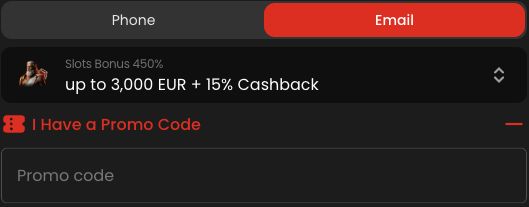
A banner is a summary designed to attract attention; it usually cannot show every condition that determines whether an account qualifies. An evidence record therefore needs the detailed offer at the point of acceptance, plus the account action that followed. Do not treat a saved public image as proof of personal activation. The distinction is especially useful when a campaign appears in several languages or currencies: similar artwork can describe different local presentations while the account record identifies the actual accepted offer.
Record the fields that determine eligibility and value
A compact record needs the promotion name, language, currency, account eligibility and the time of acceptance. Add the reward amount or calculation, qualifying action, excluded activity, deadline and the rules governing withdrawal. If the offer links to separate general conditions inside Zora, note which conditions form part of that promotion.
The core fields can fit on one page: exact title, date, language, currency, eligible account status, qualifying event, reward structure, permitted activity, deadlines and withdrawal consequences. Add the source of each field within Zora, such as the offer detail or confirmation screen. Mark missing information explicitly. A blank or unknown field is more honest than a value copied from a different campaign, and it tells you which question needs resolving before the comparison can support a decision.
Make the evidence sequence readable
Keep the sequence understandable. One screenshot can show the offer summary, another the important terms and a third the acceptance or account entry. A cropped image that removes the title or date can make two different offers look identical. For personal reference, preserve a complete version before creating a smaller image for a support message.
Use filenames or notes that preserve order, such as offer detail, activation confirmation and credited transaction. The names need not contain personal identifiers. A screenshot showing only a percentage can be impossible to associate with the correct campaign later, while a full terms capture without the account event cannot prove acceptance. Keep enough context to connect the records. If several images are needed, number them and add a one-sentence description of what each establishes rather than sending an unexplained collection.
Keep later versions separate
Changes should be recorded as changes, not silently merged. If a later visit shows a different percentage or currency, create a second dated note. The later public version does not automatically prove which conditions applied to an earlier account action. Ask support to identify the accepted version when the account history cannot settle that question.
When a later version differs, retain both dates and describe the changed field. For example, a new use window or reward allocation should not be inserted into the old record as though it had always applied. A comparison can then distinguish what was advertised earlier, what was accepted and what is visible now. If the account does not show the accepted terms clearly, ask the operator to identify them. Do not infer retroactive applicability solely from the current public page.
Use screenshots alongside account records
A screenshot is supporting evidence, not a guarantee that an offer was available to your account or that every condition was fulfilled. Pair it with the transaction and activation records. Store the information privately and remove personal identifiers from anything shared publicly. This approach produces a small, usable history instead of an unsearchable folder of banners.
Evidence is strongest when the summary, conditions and transaction history agree. A screenshot may support what was displayed, but it does not establish that an excluded method qualified or that a deadline was met. Pair the image with the relevant reference and status. Keep the files in a private location and avoid publishing account numbers or financial details. The resulting record should be small enough to review quickly, while still preserving the information needed to explain a specific discrepancy.